
The Ritzobet App is a free mobile application built by the operator for easier betting from a phone or tablet. Players in Bangladesh can download and install the latest APK (v.256 0.2) on an Android device straight from the official Ritzobet website. Only the Android APK is available right now — there is no native iOS build. Below you’ll find how to get the app, what it offers, which devices it fits, and how to confirm you’ve installed the genuine file.
How to Download and Install the Ritzobet APK
The APK installation package lives on the operator’s official domain. Open the mobile version of the Ritzobet site on your Android device and head to the apps section at the bottom of the home page. Before you install, check that your phone meets the requirements set out below.
Check the APK File and Android Requirements
Confirm the version before anything else. As of October 2026 the current Android build is v.256 0.2 at 43.5 MB — if the numbers you see differ, the file may be a fake, and you should close it. Your device also has to clear these technical specs:
- Minimum Android version: 8.0 or higher
- RAM: 2 GB minimum
- Processor architecture: ARM64 (arm64-v8a)
- Available storage: at least 100 MB
- APK file size: 43.5 MB
Download the APK
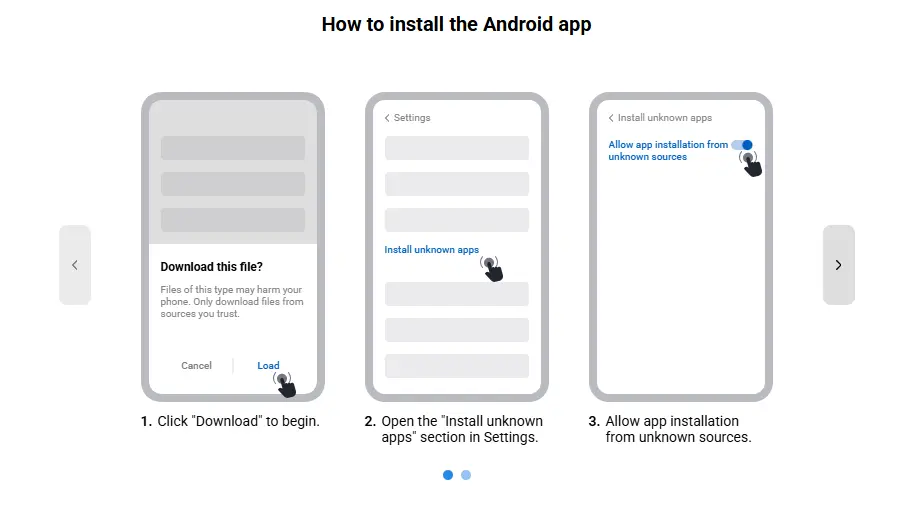
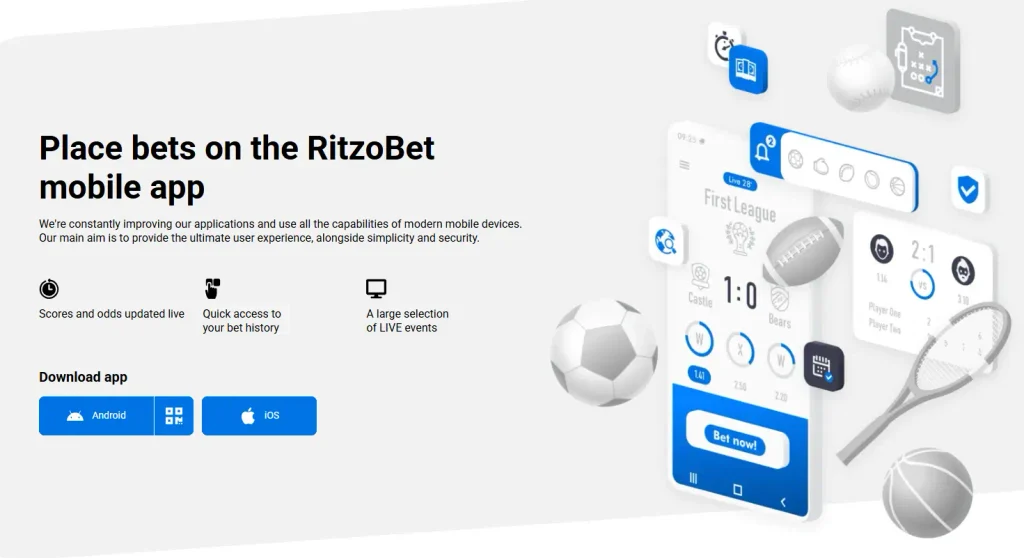
Pull the APK file from the official download source at https://ritzobet-bd.com. Tap the Android icon to start the download.
Enable Installation from the Relevant Source
Because the app comes from outside Google Play, your device needs permission to accept it. Open your settings and allow installation from unknown sources: Settings → Apps → Special access → Install unknown apps.
Complete Installation and Open the App
Open your downloads folder and find the Ritzobet APK file. Tap Install and wait for the branded icon to appear on your screen — once it does, the app is ready to open. The first launch can take a little longer to load than usual, so give it a moment.
Ritzobet App Compatibility and Performance Test
We tested the Ritzobet app download process twice, using both mobile data and Wi-Fi, to give you a more accurate picture:
- Test date: 13 October 2026
- Device: Samsung Galaxy A17 5G
- Android version: 8.0
- App version: v.256 0.2
- Package name: RitzoBet.apk
- Installation result: Download and installation successful
Network and loading tests
| Metric | Mobile data | Wi-Fi (DOT Internet) |
|---|---|---|
| Connection speed | 30.1 Mbps | 66.3 Mbps |
| Initial observed loading time | Approximately 12 seconds | Approximately 5 seconds |
| Number of trials | 1 | 1 |
| Average loading time | Not yet calculated | Not yet calculated |
| Stability | None identified | None identified |
| Errors or crashes | To be recorded | To be recorded |
Is the Ritzobet App Available in Google Play?
No — you won’t find the Ritzobet App on Google Play, and the same is true of other sports betting apps. This has nothing to do with your country or the developer’s identity; it’s a blanket rule Google applies across the whole online gambling sector.
Official Download Source and APK Availability
The Android Package Kit (APK) is available only on the official Ritzobet website. As noted above, that comes down to Google Play’s restrictions on direct APK distribution for betting apps, which pushes operators to host the file themselves.
Ritzobet for iPhone: Native App or Browser Access?
Ritzobet has no native iOS application for iPhone or iPad owners. You can check the Apple App Store for availability, but you’re unlikely to turn up anything. The alternative is to open the mobile site in Safari, or save it to your home screen as a web app — it behaves much like an installed app without the download.
App vs Mobile Site: What is Better?
| Feature | Native Android application | Mobile website |
|---|---|---|
| Download + installation | Required | Opens in a mobile browser |
| Device compatibility | Android | Android and iOS |
| Slots and live casino | Yes | Yes |
| Sports betting | Yes | Yes |
| Live streams | Yes | Yes |
| Push notifications | Yes | No |
| Mobile data consumption | Low | Medium–high |
How to Check the Ritzobet APK Before Installing
Because the file comes from outside Google Play, the responsibility for confirming it’s genuine sits with you. Start with the official domain and the authenticity of the download source: look closely at the exact web address, confirm the HTTPS connection, and watch for any redirect that quietly sends you to a different domain. A familiar logo or brand name on a page proves nothing on its own. Steer clear of unfamiliar Ritzobet APK mirrors and modified builds unless their origin can be independently verified, and if you can’t confirm the official source, don’t go ahead with the installation.
Verify the File Source, Version and Digital Signature
Match what you downloaded against the known details of the current release before you install. Use this checklist:
| Check | Expected value for Ritzobet |
|---|---|
| Download source | Official site only |
| Version number | v.256 0.2 |
| Release / update date | Unspecified |
| File size | 43.5 MB |
| Minimum Android | 8.0 or higher |
| Architecture | ARM64 (arm64-v8a) |
| SHA-256 hash | Compare against the value published on the official download page |
| APK signature | Signing certificate should match the previous trusted release |
If the version, date or size on your file differs from the table, treat that as a reason to stop. The SHA-256 hash and signature go a step further: calculate the hash and check the signing certificate against a trusted earlier build to confirm the file hasn’t been altered. These checks surface tampering and mismatches — they don’t, by themselves, prove the app is completely safe.
Check App Permissions and Malware Scan Results
Look over the permissions the app asks for before you open it. Access to your contacts, microphone, camera or location deserves a second look when the reason isn’t obvious. Scan the file with a reputable security tool and note three things: which scanner you used, the date, and the result. If it flags a threat, look into the finding rather than writing it off as a false positive straight away. A clean result cuts the other way too — it isn’t a guarantee, so weigh the source, the signature and the permissions together before deciding to trust the file.
Ritzobet App Features and Mobile Browser Access
In testing, the Ritzobet App turned out to be almost entirely identical in function to the desktop and mobile-browser versions. The core offering carries over unchanged: sports betting, casino games, bonuses and payment methods are all the same. What the app layers on top are native touches — push notifications and lower data use. Worth noting, we found no bonuses offered exclusively to app users. The sections below break down how each part performs on mobile.
Mobile Interface and Navigation
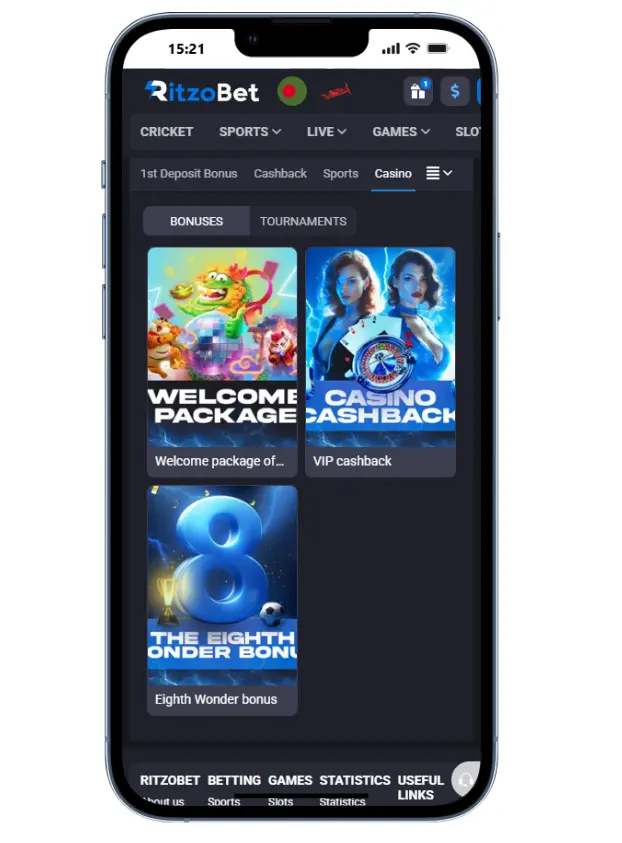
The app’s interface uses the brand’s own palette, mostly white, grey and blue. The navigation menu sits along the bottom of the screen, switching you between the main areas — betting, casino, bonuses — in a single tap. Ritzobet supports 67 language versions, English and Bengali among them, with Bengali text rendering cleanly beside English. For responsiveness, here is what we measured on the mobile build:
| Action | Time | Notes |
|---|---|---|
| App launch | ~1 min (first launch) | Longer on first run due to setup |
| Sports section opens | 0.9 sec | No delay |
| Casino lobby opens | 1.2 sec | Smooth transition |
| Cashier opens | 1.5 sec | Two taps from the main menu |
| Slot loads | 3–4 sec | Gonzo’s Quest / Cleopatra’s Gems |
| Live casino stream | 4–6 sec | VIP Auto Roulette |
| Switching tabs | 0.5–0.8 sec | No lag |
Sportsbook and Casino games
Sports betting in the app is fitted to mobile screens: odds stay clearly legible, and one tap drops a selection straight into your bet slip. Live betting shows up as prompt odds updates — their accuracy is hard to pin down given the sheer volume of in-play events, 917 at the time of our test on 13.10.2026. Streaming over a mobile connection was a little choppy during the cricket match Rhinos Chennai vs Chennai Lions. The range of sports and betting markets matches the main site exactly.
Load times for slots and live casino games come down to your connection and device. On our Samsung Galaxy A17 5G over mobile data, games opened as follows:
- Chicken Road — 3.2 sec
- Aviator — 2.8 sec
- Fortune of Aztec — 3 sec
- Sky Jumper — 4.2 sec
- Dream Catcher — 3.8–4.0 sec
We hit no errors launching these titles, though we can’t promise the same across every casino game — that always depends on the specific provider and the quality of your connection.
Registration and Account Access
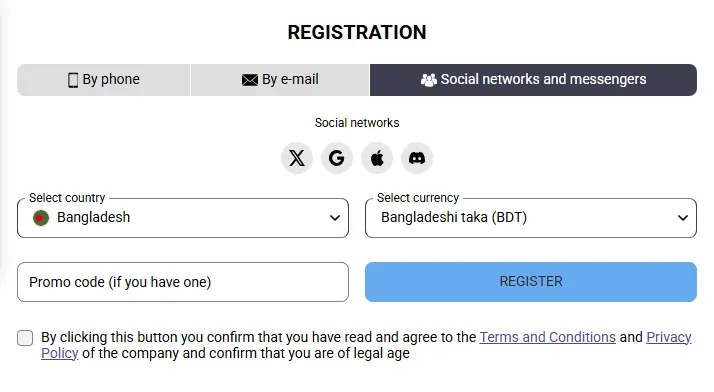
Signing up inside the app works through three methods: phone number, email or social networks. Pick the one you want, fill in the form, choose your welcome bonus and enter a promo code if you have one. Account activation works right on the phone, and within about a minute you’re a Ritzobet customer.
Existing players can sign in straight away with their user credentials, and the login screen lays out every available authorisation method. For an extra layer of protection, switch on 2FA in your account’s security settings. An app-to-web authentication handoff is in place, so your session holds across devices — move from the app to the browser and you stay signed in under the same account.
Payment Sections
Getting to the cashier in the Ritzobet App takes one tap: hit Make a deposit and every method available in Bangladesh opens in front of you. You can move money in and out through local bKash and Nagad, or with any of the 45 supported cryptocurrencies. Deposit and withdrawal speeds in the app are no different from desktop.
Common Ritzobet Download and Installation Problems
Most installation issues trace back to the source file, device settings or connection, and each has a direct fix: