
Signing up with Ritzobet is straightforward — in our testing it took just over a minute no matter which method we chose. Players in Bangladesh can create an account, claim a welcome bonus and start betting on cricket and other sports the same day. Registration works entirely on mobile: the steps are identical in a phone browser and in the dedicated Ritzobet App for Android. This guide provides a detailed description of the steps for registration, account activation, and identity verification, as well as ways to resolve the issues that players encounter most frequently.
What You Need to Create an Account
A few conditions have to be met before you open a Ritzobet account:
- Legal age — you must be 18 or older to register and place bets.
- A valid email address — the activation link is sent here, so it has to be one you can actually open.
- An active Bangladeshi mobile number — a real, working +880 number that belongs to you.
- A funded payment method — an account with bKash, Nagad or another supported option to move money in and out.
- No existing account — Ritzobet allows one account per player, so a second sign-up will be rejected.
Registration Methods and Required Information
There are three ways to register with Ritzobet, and the welcome bonus choice and promo-code field appear on all of them — pick your offer and enter the code before you submit. What changes from one route to the next is the information each form asks for:
| Sign up method | Fields required | Notification |
|---|---|---|
| By Email | Country, currency, email address, full name, password | Use a valid email — you need it to activate the account |
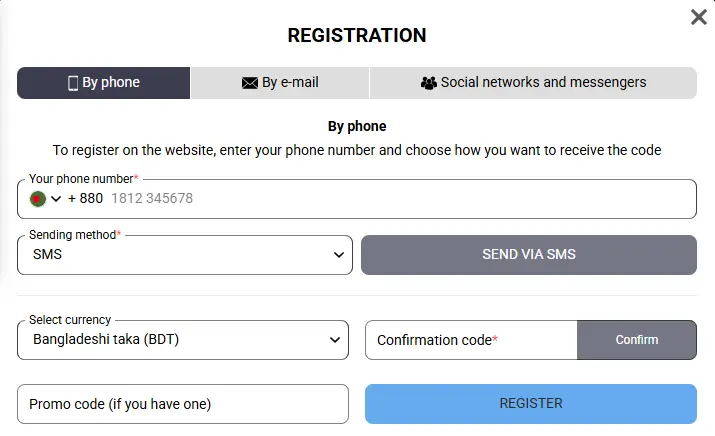
| By Phone | Mobile number, currency, confirmation code | Use your active Bangladesh number (+880) |
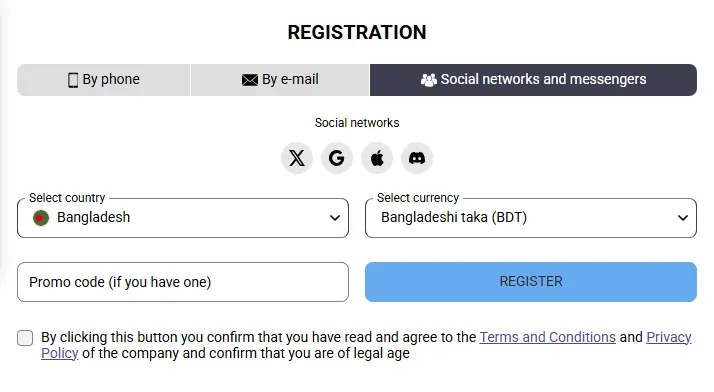
| By Social networks | Country, currency | Only X, Google, Apple, LinkedIn and Discord are accepted |
When you register by phone, the confirmation code can arrive on your mobile number by SMS or land in your Telegram account, whichever suits you. Social sign-in only works once you have created your account through one of the supported networks — it ties the login to that provider instead of a separate email-and-password pair.
How to Register a Ritzobet Account Step by Step
To open an account, go to the official Ritzobet site, choose a method and fill in the registration form. It goes quickly — ours took a little over a minute, and we break the timings down further below. As soon as you register, activate the account. Here’s how the whole process works:
1. Open the signup page
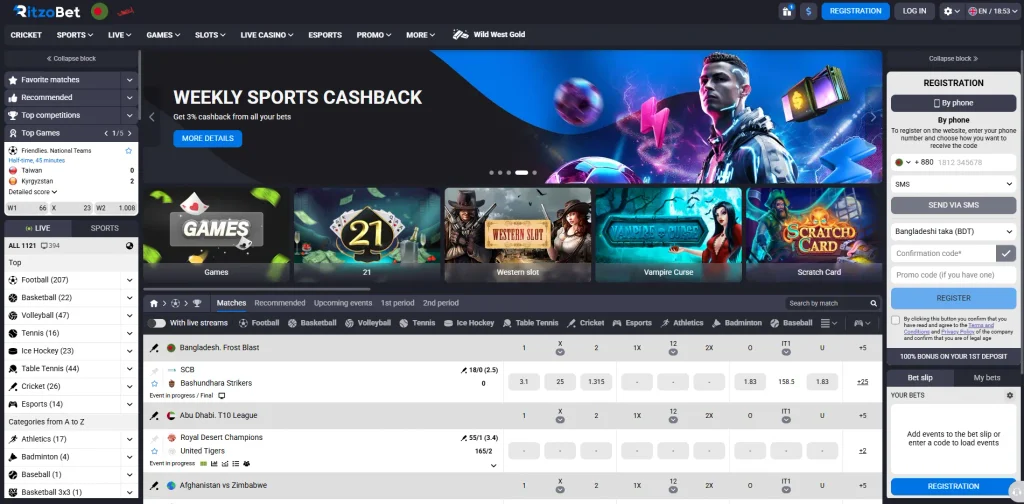
Open the Ritzobet site or the mobile app and tap the blue registration button at the top of the home page.
2. Select the registration method
Pick one of the three methods. Email is the better choice, since that form captures more of your details up front.
3. Select the welcome bonus
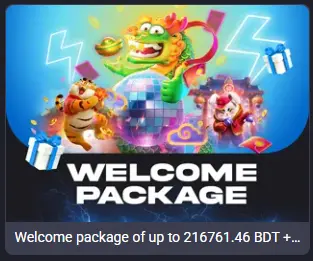
Choose the sports welcome bonus (100% up to 14,500 BDT) or the Casino Welcome Package of up to 220,000 BDT plus 150 free spins on selected slots. Enter a promo code to boost the offer. You can also turn the welcome promotion down using the Reject bonuses option.
4. Enter your personal details
Fill every required field with your own real information. Matching data here is what keeps verification and withdrawals from stalling later.
5. Complete your registration
At the last step, agree to the company’s Terms and Conditions and Privacy Policy, then press Register to finish.
Email or Phone Verification After Signing Up
Once you register, an email activation link lands in your inbox — check the spam folder if it isn’t there — and opening it activates the account. If you signed up with your phone, an SMS OTP arrives at that number instead. Either way, confirm within 72 hours; after that the link is expired and the registration no longer counts, so you’d start over.
Keep two things apart here. This step only confirms your contact details and flips your verification status to active. Identity verification — KYC — is separate and may be requested later: proof of who you are, where you live and how you pay, required under international anti-money-laundering rules rather than by Ritzobet alone.
Ritzobet Registration Test: Time, Device and Results
We tested all three sign-up methods to confirm each one works and to see how quickly a new account comes together. The test device was a Samsung Galaxy A17 5G on Wi-Fi at roughly 50–80 Mbps, and we worked through the mobile version of the site rather than the app. Here is what each method returned:
| Registration method | By email | By phone | By social networks |
|---|---|---|---|
| Test date | 09.10.2026 | 09.10.2026 | 09.10.2026 |
| Time taken | 1 min 10 sec | 1 min 15 sec | 50 sec |
| Account activation | Passed | Passed | Passed |
| Result | Account created | Account created | Account created |
What Happens After You Register?
Your login credentials go live the moment the account is confirmed, so you can sign in anytime from any device. Beyond placing bets, the account dashboard is where you manage everything tied to your profile:
- Profile details — fill in whatever you skipped during sign-up to unlock the site’s enhanced features.
- Account settings — filter the sports you care about, add extra currencies, and pick your bonus if you haven’t yet.
- Bet and transaction history — follow your own activity and keep full control over your wagers and money movement.
Support is on hand for anything that needs a person: KYC verification requests, a withdrawal that won’t go through, and account issues of any other kind.
Why Ritzobet Registration Fails — and How to Fix It
A few things can get in the way when you set up a Ritzobet account. The common ones are easy to clear:
- Email address or phone number rejected — usually a typo or a number already tied to another account. Re-check each character, confirm the +880 format on the phone, and submit again with a different address or number if it still won’t take.
- Verification code not received — wait a moment, then use the resend option, since codes sometimes lag on the network. Check the SMS inbox and your Telegram, and if a second request brings nothing, contact support to confirm the number on file.
- Account already exists — don’t open a second one. Ritzobet permits a single account per player and will block both if it finds duplicates. Use password recovery to get back into the original, or ask support to sort out access.
Completing KYC (Know Your Customer) Verification
After you register, clearing KYC verification opens up the full platform, withdrawals included. The Terms and Conditions set mandatory verification at a withdrawal total of €2,300 (about ৳317,500), though in practice Ritzobet can ask for it sooner. Identity is confirmed with a photo of your ID — passport or driver’s license. Address is confirmed with a utility bill or bank statement no older than three months. Ownership of your payment method is confirmed with a bank statement or a wallet screenshot showing your name. Once your documents are reviewed, you’ll get a notification and full access to every service on the platform.